Skip to product information
1 of 8

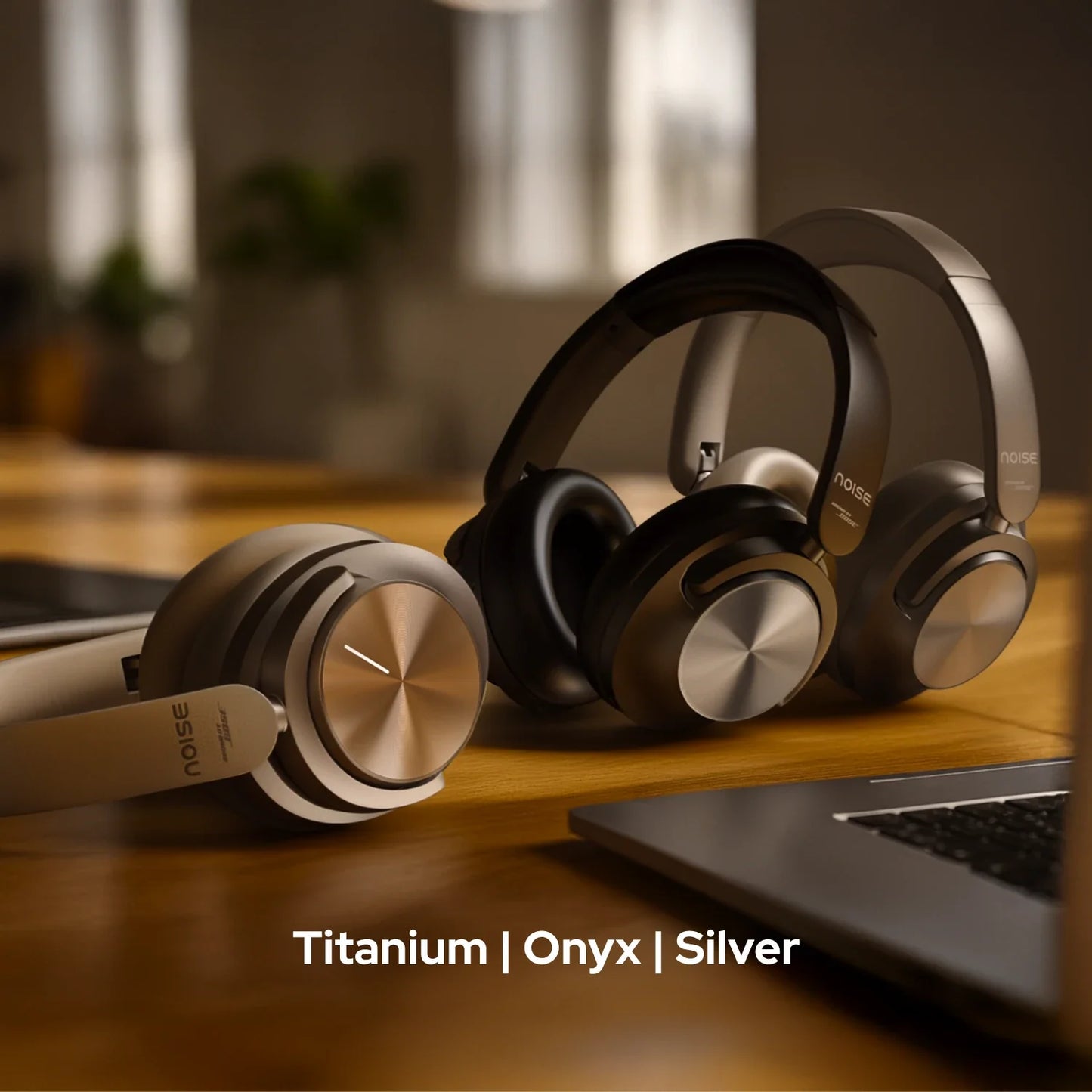
Master Buds Max Wireless Headphones - Titanium

Master Buds Max Wireless Headphones - Titanium

OFFER PRICE ₹999.00

MRP ₹11,999.00 91% off

Taxes included.
Delivery Truck Calculating delivery date...
Deals Icon Extra Deals Available

5% Instant Discount Upto Rs.10,000 on IDFC First Bank Credit Card EMI

IDFC First Bank
View Details

Flat Rs.5,000 Instant Discount on HDFC Bank Credit Card No Cost EMI.

HDFC Bank
View Details

7.5% Instant Discount Upto Rs.3500 on HSBC Credit Card EMI

HSBC Bank
View Details

5% Instant Discount Upto Rs.2500 on YES Bank Credit Card EMI

YES Bank
View Details
  • Lowest Price
  • COD Available
  • 5-days Return

Free Shipping

Free Shipping
We offer free shipping across India.

1-2 Days Dispatch
We dispatch orders within 1-2 days.

2-5 Days Delivery
We usually take 2-5 working days depending on your location.
Metros 2-3 days
Rest of India 3-5 days

5 Days Returns & Exchange

Items purchased from Nobero are eligible for return/exchange, if returned within 7 days of delivery.

Free Exchanges
We accept exchanges free of cost. This means you wont be charged extra to exchange the product(s). It's on us! We want your experience to be hassle-free.

Easy Returns

For Prepaid Orders - The full amount is refunded into your initial payment mode (bank account, credit card, etc.)

For Cash On Delivery : A refund will be initiated to the bank account that is provided by you at the time of raising a return.

Exchange For Something Else?
In case of an exchange, you are also allowed to choose a different product. If the value of the replacement product exceeds that of the previously purchased product, you can pay just the difference else if it's less, the same can be refunded to you as gift card.

View full details

FAQs

about the product

How is the calling quality?

Master Buds Max comes with 5-mic ENC which effectively cuts out disturbances during calls, ensuring your voice is carried clearly. Call quality does depend on a good network and the amount of disturbances in the surroundings.

Does it announce the caller's name or number on incoming calls?

No, it doesn’t announce the caller’s name or number.

Is noise cancellation available?

Yes, there is active noise cancellation, as well as environmental noise cancellation available during calls

What are the colour options?

Master Buds Max comes in 3 colour options – Onyx, Titanium and Silver.

compatibility

Are Master Buds Max compatible with iPhones?

Yes, they are compatible with iPhones.

Are Master Buds Max compatible with Android smartphones?

Yes, the headphones are compatible with Android smartphones.

Can Master Buds Max be connected to a laptop/computer?

Yes, they can be connected to the laptop/computer as long as it is equipped with BT connectivity.

Can Master Buds Max be connected to more than one device at a time?

Yes, Master Buds Max supports dual device pairing.

Do they support BT 4.0?

Master Buds Max is best suited with BT v5.4. However, they also support smartphones with BT v4.0.

Can I use Siri/Google Assistant?

Yes, you can use Siri & Google Assistant.

battery and charging

What is the battery backup?

The battery backup of the headphones is up to 60 hours with ANC off.

How much time does it take to charge?

Master Buds Max take up to 60 minutes to fully charge.

In case the headphones are not charging, what do I do?

If you are not able to charge your headphones, you can reach out to us at the following link - https://www.gonoise.com/pages/register-your-complaint

How do I check the Master Buds Max battery level?

You can check the battery level of your Master Buds on the home screen of the Noise Audio App. 

Can I charge Master Buds Max with my PC/laptop?

Yes, you can charge the Master Buds Max with your PC/laptop.

Does Master Buds Max have a fast-charging provision?

Yes, it has fast charging.

getting started 

How do I turn the Master Buds Max on and off?
Press and hold the power button for 2 seconds.The white LED will start blinking, indicating that the headphone is in pairing mode. To power off, press and hold the Power button for 5 seconds till the white LED turns off.

How do I pair Master Buds with my smartphone?

After Powering On, the headphones automatically enter pairing mode and the white LED will start blinking. Search and select Master Buds Max from the list of available Bluetooth devices. Once the connection is successful, the light will turn off.

Note: Your Master Buds Max will automatically connect to the last paired device as soon as it is powered on. Tapping the power button twice is another way to bring the device into pairing mode.

noise audio app

What’s the name of the app?

The name of the app is Noise Audio.

Is the Noise Audio App available on the App Store?

Yes, the Noise Audio App is available on the App Store.

Is the Noise Audio App available on the Play Store?

Yes, the Noise Audio App is available on the Play Store.

How do I pair my Master Buds Max to the app?

Before pairing with the app, make sure that your smartphone and Master Buds Max are connected together. Open the app and go to the Bluetooth device search page. Master Buds Max will appear on the screen. Click on the Connect option.

Note: It might take up to 15 seconds to establish connection between the headphones and the app.

Can I control ANC through the app?

Yes, you can control ANC through the Noise Control feature. Toggle between Off, ANC and Transparency modes.

Is the app compatible with all Noise products?

No, the app has been developed exclusively for Master Series users.

Can I update my headphones through the app?

Yes, you can update the Master Buds Max through the Noise Audio App.

Can I customise Equaliser levels? 

You can click the Equaliser feature on the app to choose between two EQ modes. Either go for the Default EQ mode (Sound by Bose) or choose Custom to customize it as per your preference.

Is wear detection available?

Yes, you can toggle wear detection on or off on the app.

What to do if I misplace my headphones?

Locate your lost headphones in seconds by tapping on the Find my Headphones section on the app. Doing this will trigger a sound that will lead you to your device. Just ensure that the device is not in use before you click on the button.

warranty registration

Is there a warranty for this product?

Yes, there is a 1-year manufacturing warranty from the date of delivery of the product.

Where do I register for the product warranty?

Please follow the link to register for the warranty. https://www.gonoise.com/pages/warranty-registration